Add or bring forward the asset
Record the asset class, acquisition/opening position, cost and the depreciation policy needed for the schedule. For migrated clients, opening assets should explain the brought-forward cost and accumulated depreciation balances.
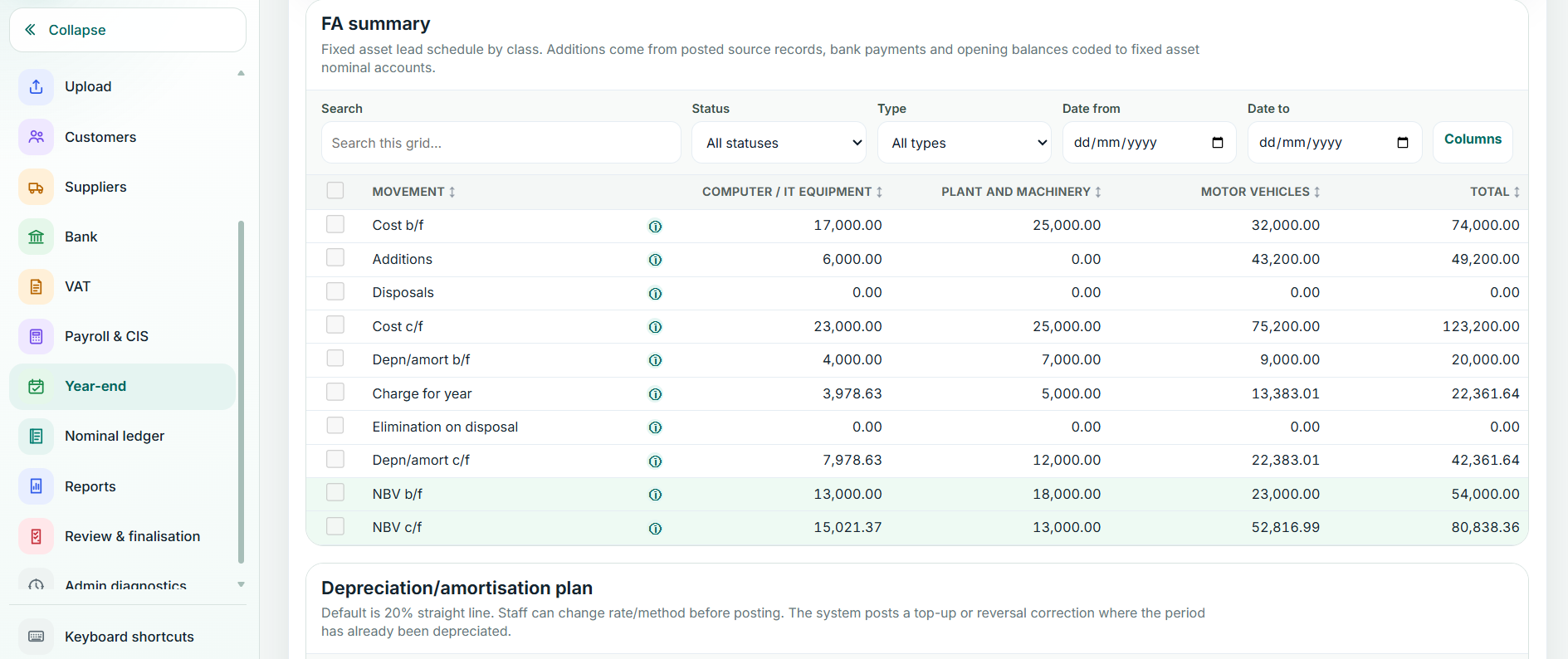
Review depreciation
Balansix calculates depreciation using the configured policy/rate and relevant dates, including pro-rata treatment where applicable. Review unusual acquisitions, disposals or changes rather than overriding the schedule with a disconnected journal.
Post the schedule
When the schedule is correct, post the resulting journal once. The fixed-asset cost, accumulated depreciation and depreciation expense should then agree to the relevant nominal accounts.
Use the lead schedule
The lead schedule is the bridge between individual assets and the Trial Balance. Resolve differences before finalisation. Protected/finalised periods should not be altered by deleting posted asset activity without a controlled correction route.