Built from inside practice. Built by Mr H Hammad FCCA, ACA, ICAEW Chartered Accountant and current CEO of a UK accountancy practice.
ProductFor ClientsWhy BalansixPricingResourcesSupportBook a demoContact
BalansixOCR & Capture

From client records to accounting-ready information.

Bring documents into a structured workflow, extract what matters and move reviewed information forward without losing the evidence or professional control.

Structured client uploadsOCR & extractionControlled staff review
From records to usable data

The point of OCR is not to read a document. It is to remove the re-keying after it has been read.

Balansix OCR & Capture is designed as the controlled intake layer between client records and the accounting workflow. It helps the practice receive information consistently, extract what matters and move reviewed data forward with the original evidence still attached.

01 • Receive

Client uploads

Records arrive through structured client routes rather than mixed email attachments.

02 • Read

OCR & extraction

Capture accounting-relevant fields from invoices, receipts and other supported records.

03 • Review

Control the result

Present uncertain or incomplete information for staff review instead of silently guessing.

04 • Use

Move forward

Carry the reviewed record into the relevant bookkeeping or client workflow.

Client intake

Your client should not need an accounting-software lesson to give you the records.

The client-facing upload journey is deliberately simpler than the staff workspace. Clients can identify the nature of the information they are providing and submit it to the practice without gaining posting rights or access to staff-only accounting controls.

This improves more than convenience. A structured intake route gives the practice useful context before the file reaches the reviewer, making it easier to distinguish sales, purchase, expense and banking information.

Sales record uploads
Purchase and expense uploads
Bank statement uploads
Clear client-facing categories
Upload progress and confirmation
Items remain awaiting staff review
Client accounting access remains controlled and read-only where appropriate
See the client experience →

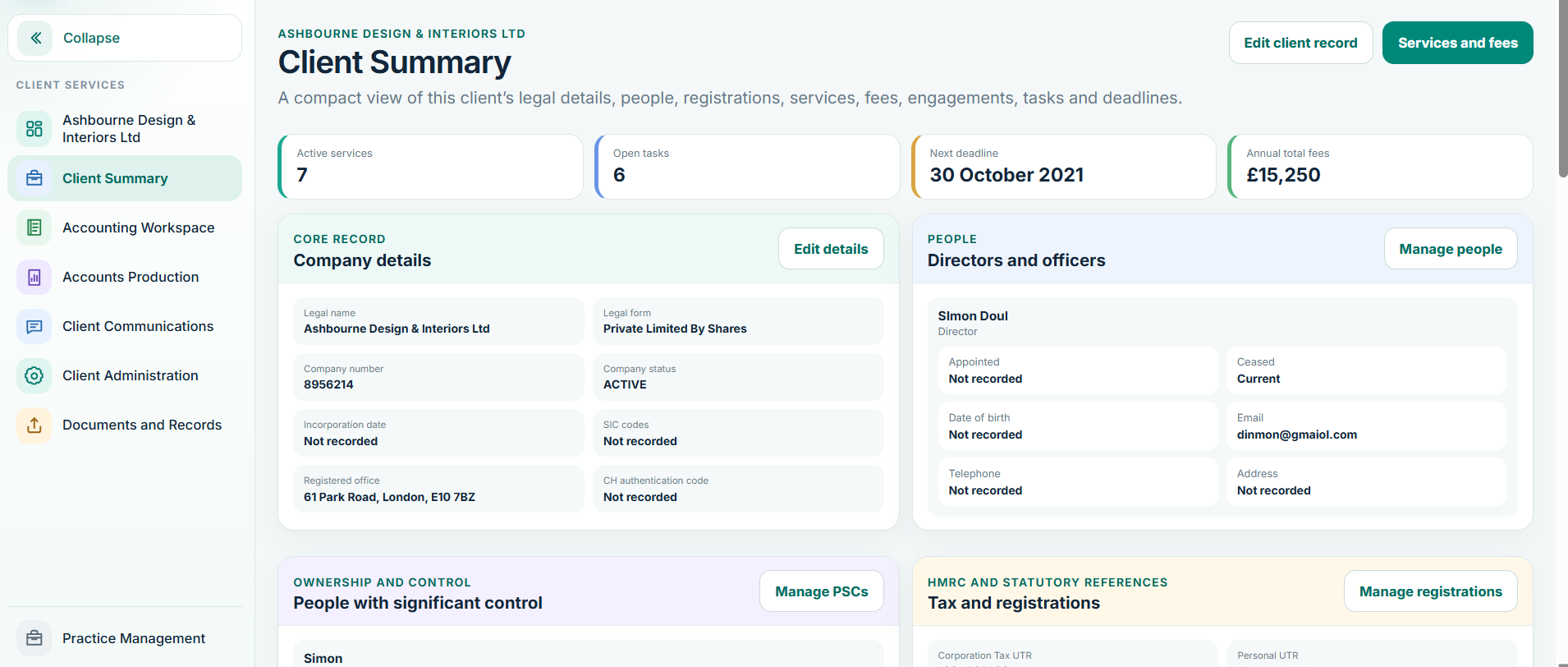
Balansix client workspace
Connected client record • live Balansix screen
Capture with control

Capture should accelerate judgement, not bypass it.

Good automation knows the difference between extracting information and deciding its accounting treatment. Balansix keeps those responsibilities distinct so the practice gains speed without hiding uncertainty.

OCR

Extract useful fields

Reduce manual keying by reading supported records and presenting the relevant information in a structured form.

?

Surface uncertainty

Low-confidence or incomplete information belongs in a review workflow, not in a confident-looking posting.

Keep the evidence

The source record remains connected with the accounting data so staff can verify the basis of the entry.

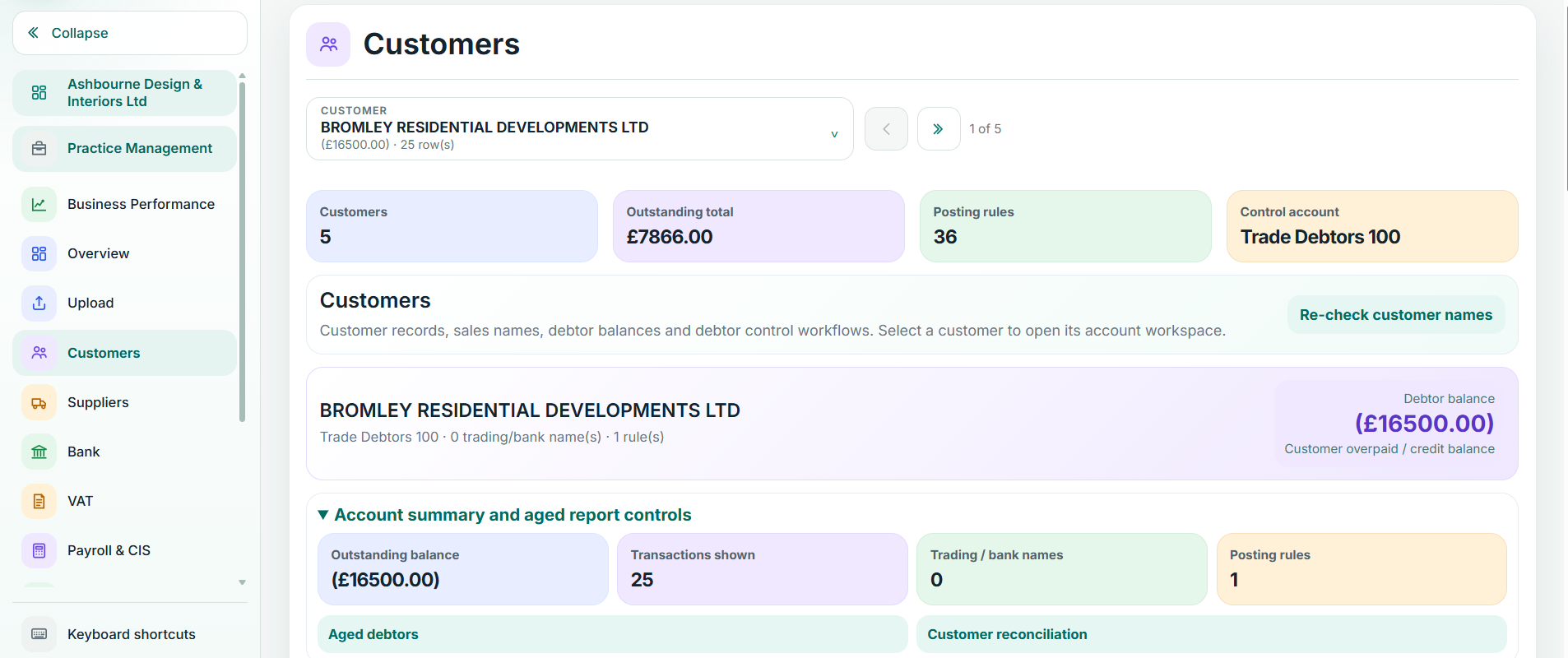
Balansix accounting screen
Accounting destination • live Balansix screen
Connected to bookkeeping

The capture workflow only creates value when the accounting workflow does not start again.

Once information has been received, extracted and reviewed, the next stage should use it. Balansix is designed to connect the intake layer with the Accounting Workspace, keeping client, period, source evidence and transaction context together.

That creates a cleaner chain from document to ledger and reduces the familiar cycle of download, rename, save, re-key and attach.

Client and period context retained
Source document remains available to the reviewer
Reviewed information can move into bookkeeping
Duplicate handling and controlled intake
Account treatment remains subject to accounting rules and staff control
Audit trail over the workflow
Documents & requests

A document library should tell you more than where the PDF lives.

Balansix treats supporting records as part of the work. The team should be able to see whether information has arrived, what it supports and what remains outstanding.

Evidence

Keep source records with the accounting

Make verification faster by keeping supporting evidence connected to the work it supports.

Requests

Track what is still missing

Turn client chasing into a visible workflow rather than a collection of sent emails.

Organisation

Reduce manual filing

Use client, period and record context to reduce sorting and make the document base more searchable.

Review

Staff remain in control

Client uploads and extracted information can be reviewed before they become part of the controlled accounting record.

See what one connected workflow could remove from your practice.

Bring a real client workflow to the demonstration and compare how many handoffs, re-keying points and separate systems Balansix can remove.