Built from inside practice. Built by Mr H Hammad FCCA, ACA, ICAEW Chartered Accountant and current CEO of a UK accountancy practice.
ProductFor ClientsWhy BalansixPricingResourcesSupportBook a demoContact
BalansixMigration

Move the workflow without losing control of the practice.

Balansix migration focuses on the information and workflows the firm actually needs to operate safely, with validation before each cohort goes live.

Discover & configureMigrate what mattersValidate before launch
Controlled change

Changing practice software is a data project, a workflow project and a people project.

A practice does not need every historic artefact moved into a new platform just to prove it has changed software. Balansix migration starts by deciding what the team actually needs to operate safely from day one and what is better retained in the existing archive.

01 • Discover

Understand the stack

Map your current systems, client base, services, users and key workflow dependencies.

02 • Configure

Design Balansix

Set roles, permissions, service structures, practice settings and client workflows.

03 • Migrate

Move agreed data

Bring across the operational and accounting data required for the agreed migration scope.

04 • Validate

Prove the result

Check client records, balances and workflow setup before each cohort goes live.

Discover

Start with how the practice works now, not with a generic import template.

Before moving data, identify which systems currently hold the authoritative client record, recurring work, fees, documents, opening balances, accounting history and final accounts. The objective is to know what must move, what can be re-established cleanly and what should stay available as archive history.

Current software inventory
Client and service inventory
User and permission model
Recurring jobs and deadlines
Accounting data and opening positions
Document history
Accounts-production history
Critical integrations and dependencies
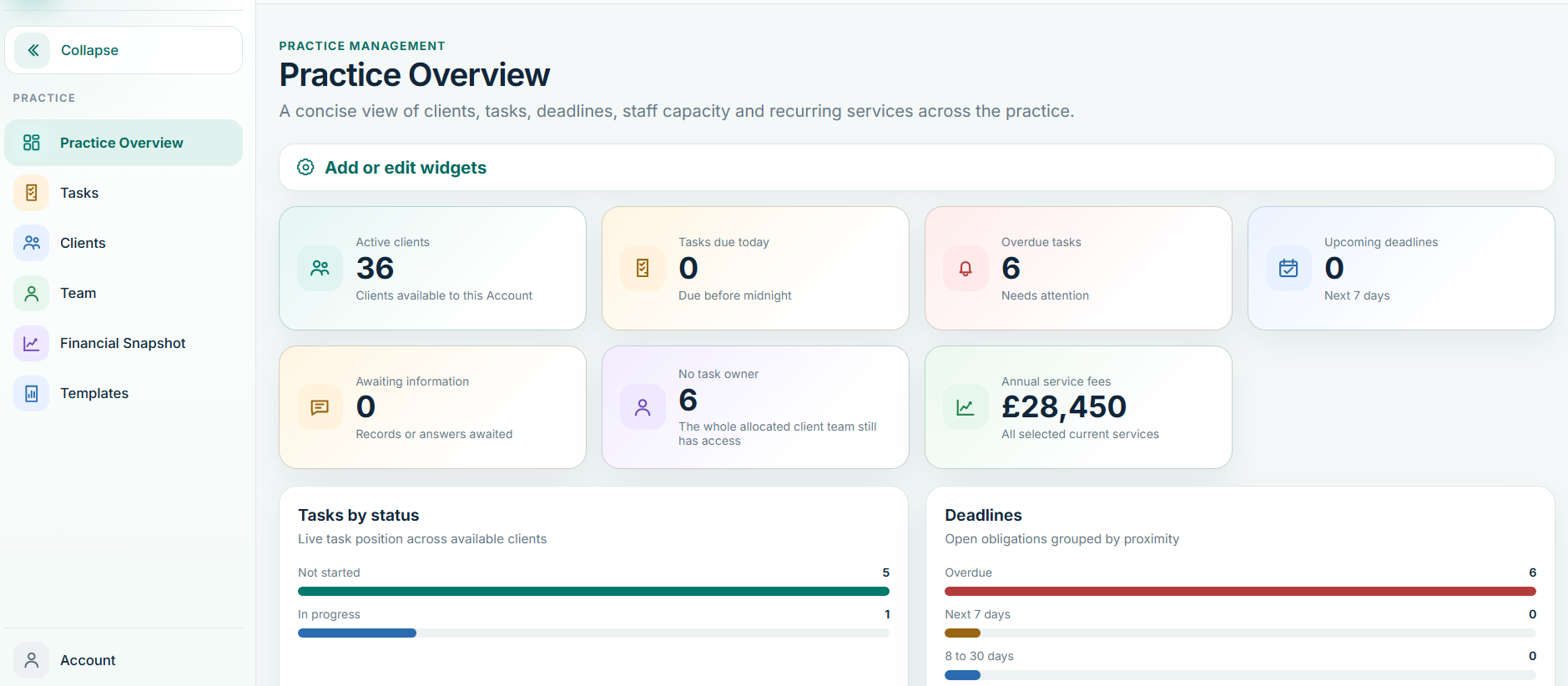
Balansix practice overview after structured migration
Target practice view • live Balansix screen
Migrate what matters

Not all historical data has the same operational value.

A controlled migration separates data needed to operate the next period from records that can remain available in a read-only archive or legacy system. That keeps the implementation focused and reduces the risk of importing years of clutter simply because it exists.

Client master

Who the client is

Bring the identifiers, entity details, key contacts, services and registrations needed by the live practice workflow.

Work

What must happen next

Establish active services, recurring jobs, responsibilities and upcoming deadlines.

Accounting

Where the books begin

Bring a controlled opening trial balance and relevant supporting subledgers for the agreed accounting start point.

History

What should remain accessible

Decide which historic documents and completed outputs need to move and which can remain safely archived.

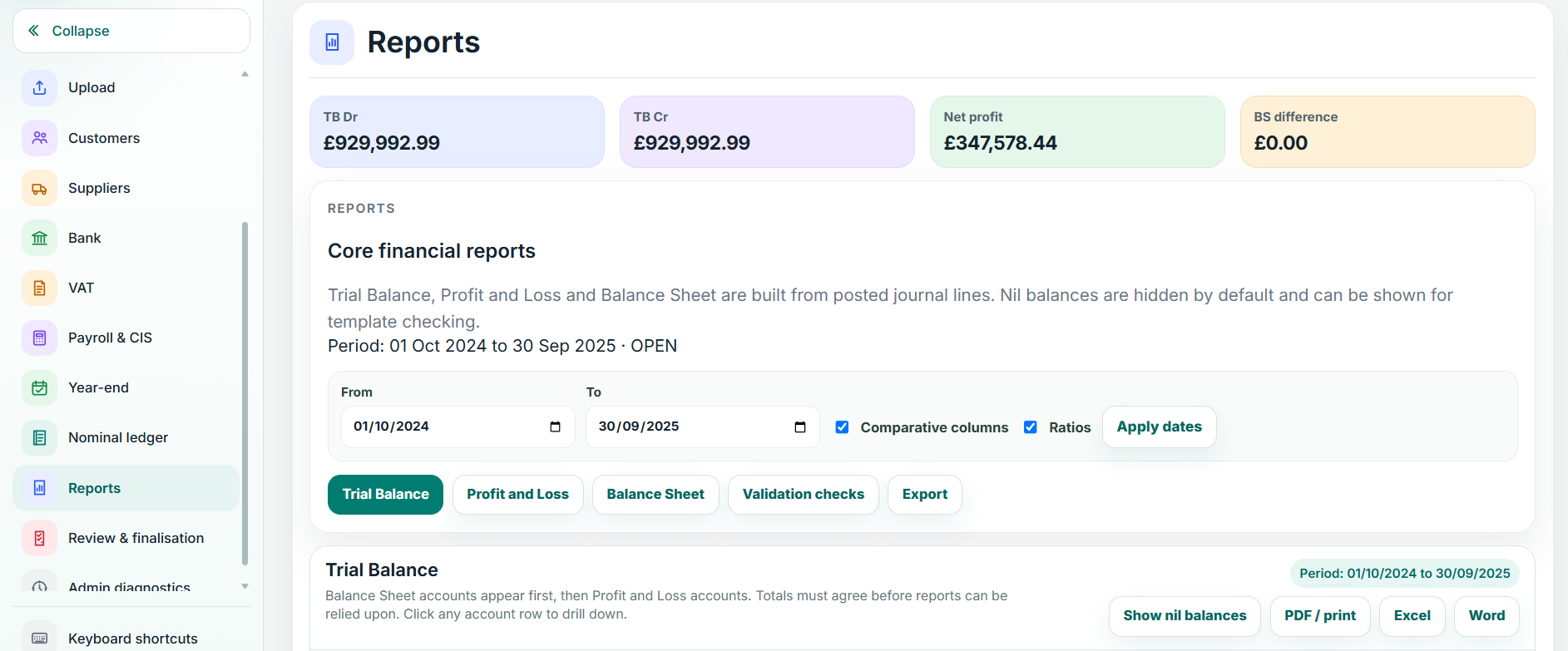
Balansix reports used to validate accounting balances
Migration validation • live Balansix screen
Validate before launch

A successful import is not the same as a successful migration.

The data needs to reconcile to what the practice expects. Balansix migration should include explicit validation of client counts, opening balances, subledgers, upcoming work and user access before the migrated cohort becomes operational.

Client-record spot checks
Opening TB debit-equals-credit control
Bank and subledger agreement
Comparative checks where brought across
Recurring work and deadline checks
Role and client-access validation
Sign-off of the migration cohort
Phased implementation

Move the practice in sensible cohorts.

A phased rollout can reduce risk and make training more useful. Start with a representative group of clients, validate the live workflow, capture the practice's own implementation decisions and then repeat the process with larger cohorts.

1

Pilot

Choose a small but representative client set that tests the workflows the practice uses most often.

2

Refine

Use the pilot to confirm permissions, service setup, naming conventions and internal procedures.

3

Scale

Move further client groups using the validated migration and onboarding process.

Change the platform without losing control of the practice.

See what one connected workflow could remove from your practice.

Bring a real client workflow to the demonstration and compare how many handoffs, re-keying points and separate systems Balansix can remove.