Built from inside practice. Built by Mr H Hammad FCCA, ACA, ICAEW Chartered Accountant and current CEO of a UK accountancy practice.
ProductFor ClientsWhy BalansixPricingResourcesSupportBook a demoContact
BalansixPractice Management

Run the practice. Know what needs attention.

Balansix Practice Management combines the relationship, the work and the team around one client record, giving accountancy practices clearer control without another layer of admin.

Clients & servicesTasks & deadlinesTeam, time & profitability
The operational centre

Run the practice without running another spreadsheet.

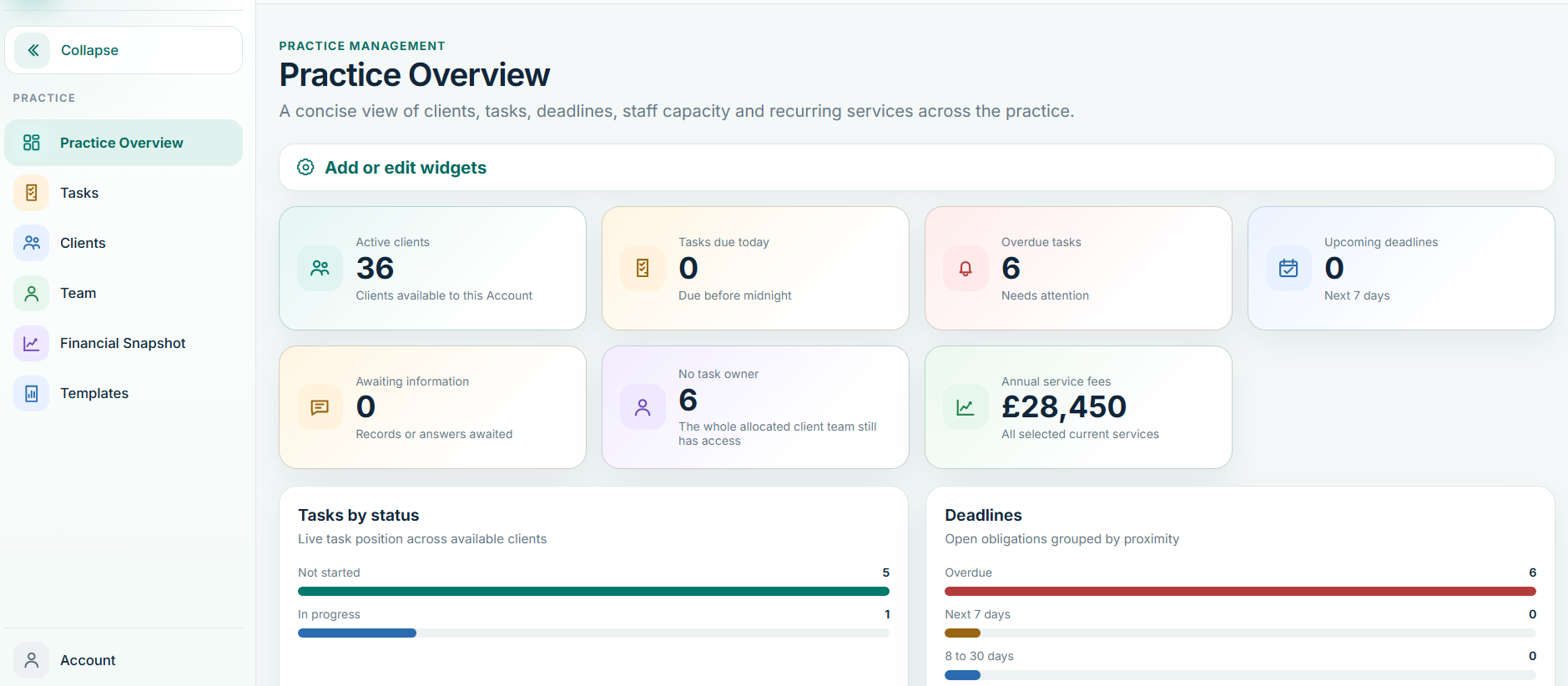
Practice Management brings the client record, agreed services, work, deadlines, team responsibility, time and communications into one operating picture. It is designed to reduce coordination work, not create more administration for the people doing the job.

Balansix Practice Overview
Practice Overview • live Balansix screen
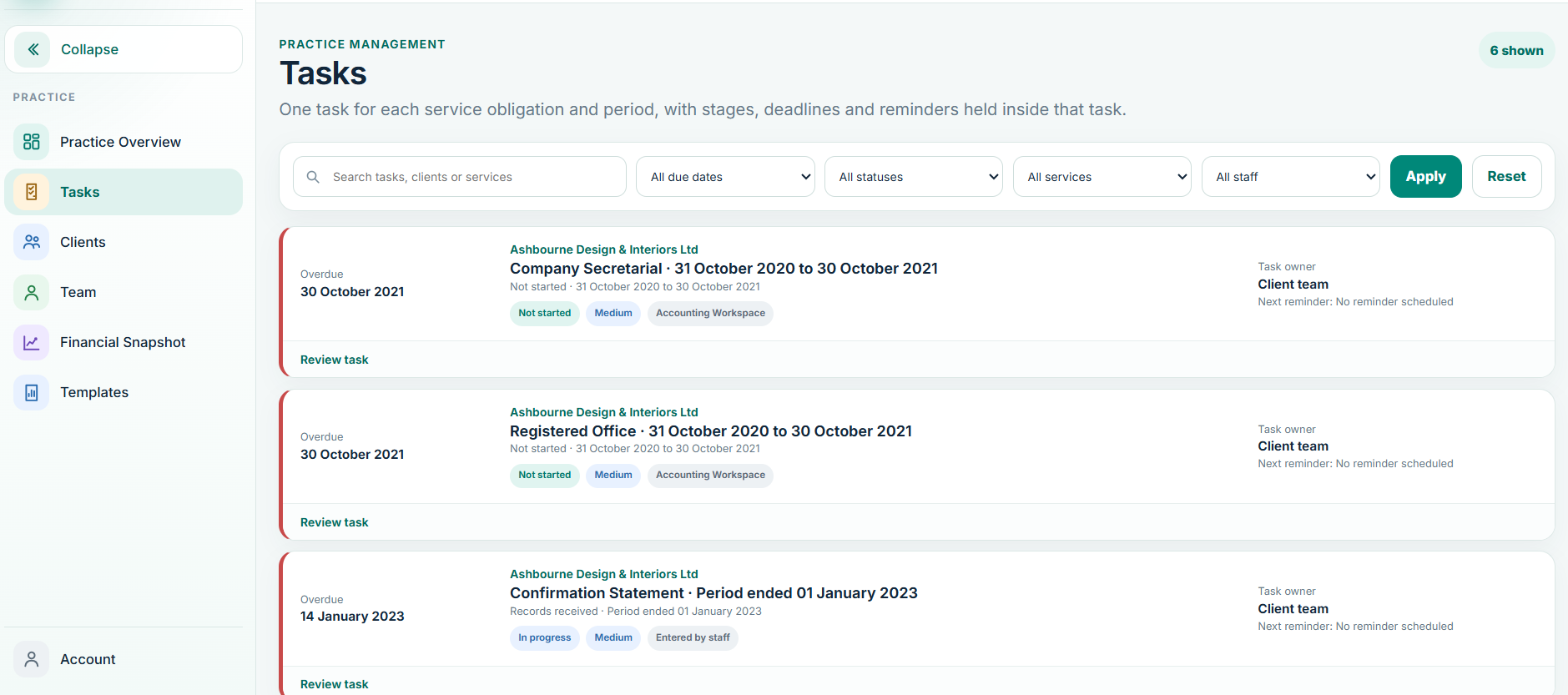
Balansix Tasks and Deadlines
Tasks & Deadlines • live Balansix screen
Client administration

One client record should answer the questions the whole practice keeps asking.

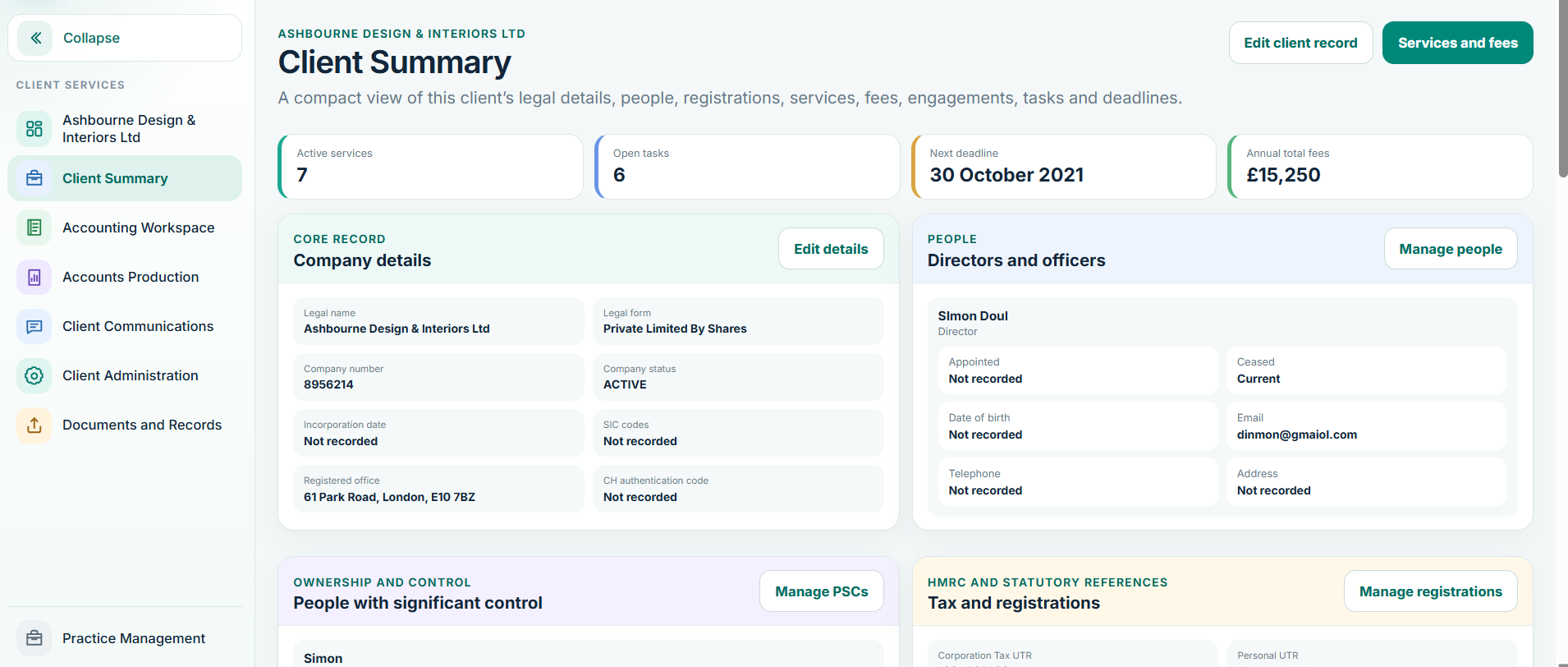
Who is the client? Which services are active? What are the key registrations? What fee was agreed? Who owns the work? What is due next? Which documents and communications belong to the relationship?

Balansix keeps the core relationship in one place and makes the relevant information available to the parts of the platform that need it. That reduces parallel client lists and makes the client record a working object rather than a static address book.

Overview and key client details
Registrations and entity information
Services and fee records
Engagement status and effective dates
Deadlines and work ownership
Integrations and document links
Role-based visibility of sensitive information
Balansix Client Summary
Client Summary • live Balansix screen
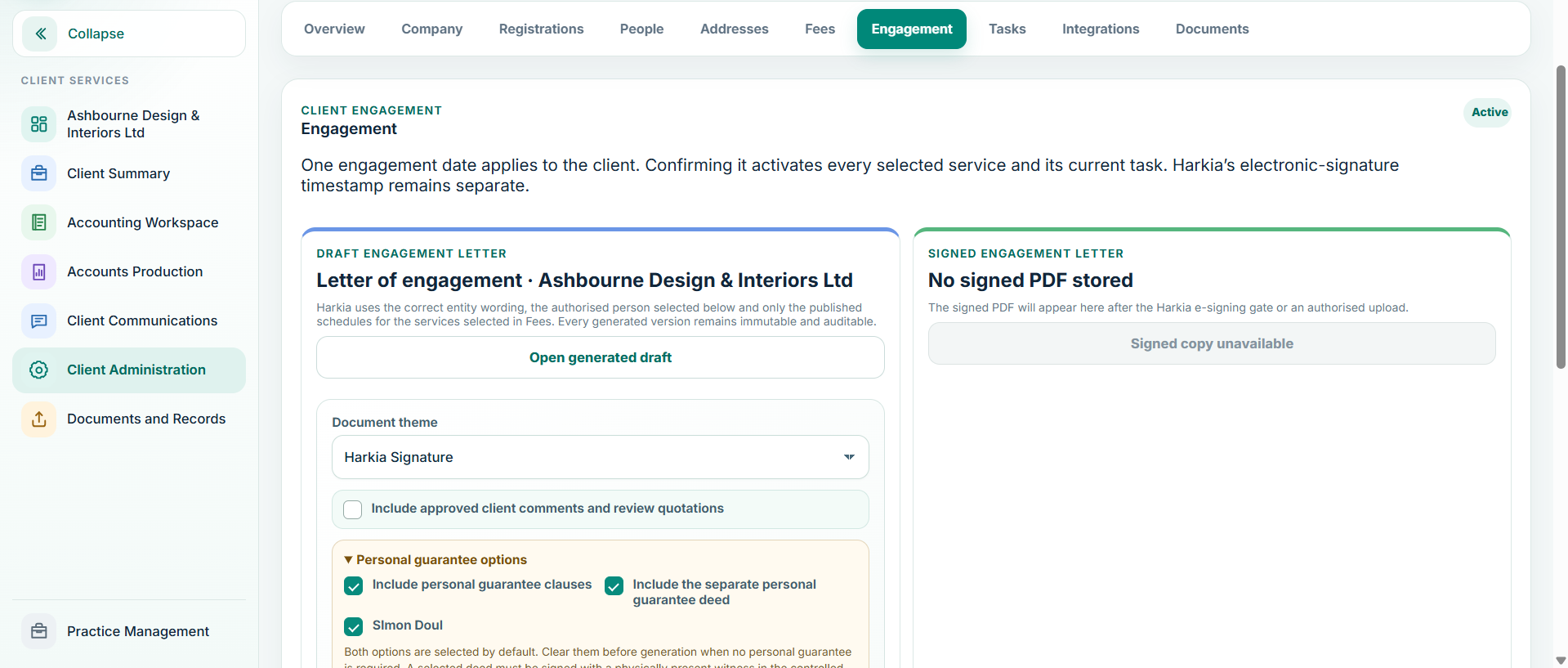
Balansix engagement workflow
Engagement • live Balansix screen
Proposals, fees & engagement

Win the client once. Set the work up once.

The commercial agreement should become operational data. Balansix brings services, fees, proposal presentation and engagement activity into the practice workflow so an accepted relationship can move cleanly into active work.

For established clients, the system can also retain controlled legacy engagement dates while keeping electronic acceptance timestamps distinct. The goal is a complete record of the relationship without forcing a historical client through a new-client ceremony simply to satisfy the software.

Service selection and fee structure
Professional proposal journey
Engagement documentation
Electronic acceptance and signature records
Client-level engagement status
Service activation after engagement
Historical engagement handling for existing clients
Tasks & deadlines

Turn recurring compliance work into a visible production line.

Recurring work should be predictable. Balansix gives each task an owner, a status and a deadline, while practice-level views help senior users see what is due, what is blocked, what is ready for review and where work is building up.

Recurring work

Create repeatable work around client services rather than rebuilding the same job every month, quarter or year.

!

Exceptions first

Surface overdue work, missing information and bottlenecks so managers can intervene where intervention changes the outcome.

Clear ownership

Make responsibility visible by client and task, with role-aware access and a record of progress.

Team, time & capacity

Time data should help run the practice, not merely complete a timesheet.

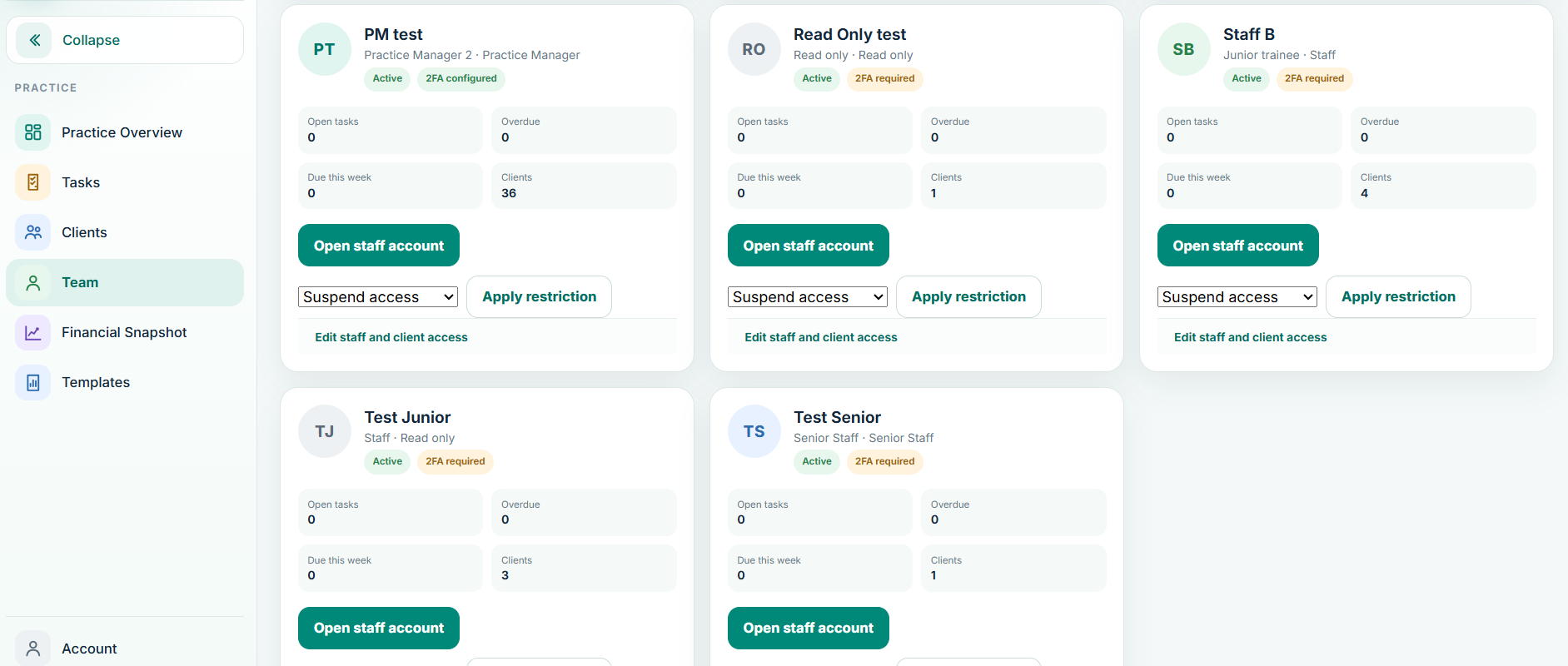
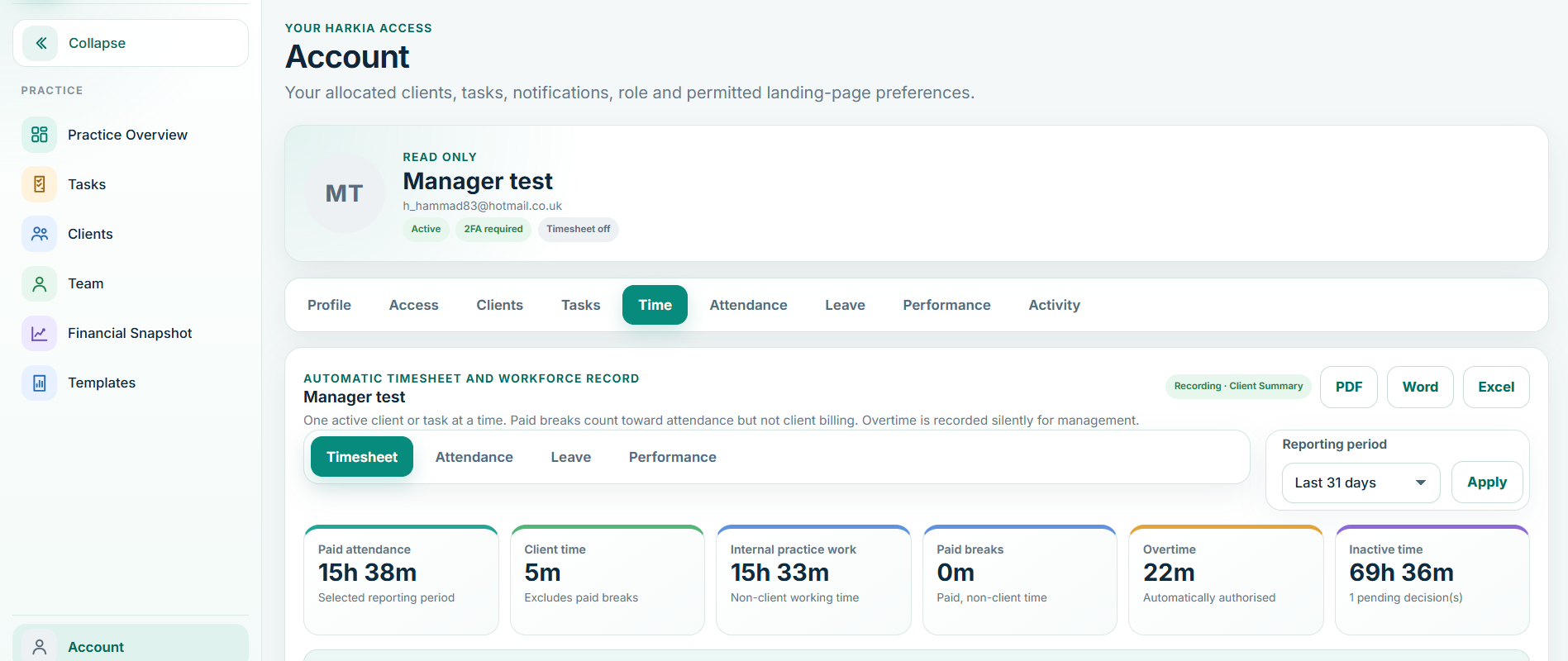
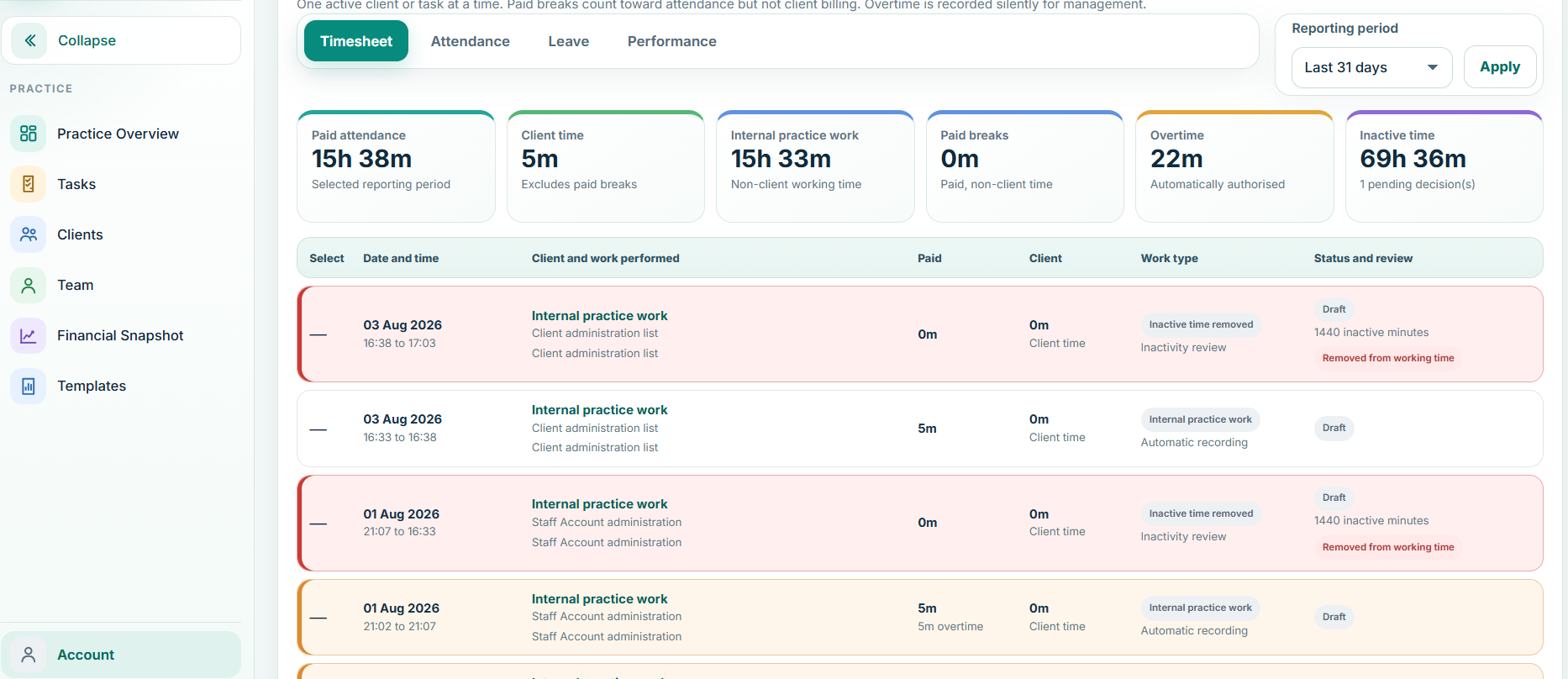
Staff accounts, work allocation, attendance and time information sit beside the clients and jobs they relate to. That means the practice can understand where effort is going and managers can see capacity without maintaining a separate workforce spreadsheet.

Senior users can use time and fee information to examine client recovery and profitability. Staff can focus on the work they are responsible for without being exposed to fee information that is not relevant to their role.

Individual staff accounts
Role and client-level permissions
Work allocation by client and task
Automatic work-context time capture
Attendance and working-time visibility
Overtime recording and management controls
Capacity and workload views
Productivity and utilisation reporting
Leave, attendance and workforce reporting
Client profitability and recovery for authorised users
Balansix team management
Team • live Balansix screen
Balansix account and time view
Time & account activity • live Balansix screen
Communication & information requests

Keep the conversation attached to the client and the work.

Client communication is operational work. Balansix is designed to keep important correspondence, requests and follow-up activity tied to the relationship rather than scattered across personal inboxes and memory.

Client requests

Ask for what is missing

Create clear information requests around the work and keep visibility over what has been received and what still needs a response.

Reusable communication

Make routine contact consistent

Use controlled templates and structured communication workflows for repeatable practice messages while retaining professional review. The communication layer can support email, SMS, WhatsApp and letter workflows as configured by the practice.

Client context

See the relationship, not an isolated email

Keep relevant correspondence accessible from the client workflow so the next person does not need an inbox archaeology exercise.

Practice visibility

Know what is waiting on whom

Separate work waiting on the client from work waiting on the practice and make the next action obvious.

Balansix attendance view
Attendance • live Balansix screen
Roles & professional control

Access should follow responsibility, not curiosity.

Directors, Practice Managers, Managers, Staff and Contractors do not need the same view of the practice. Balansix supports role-driven access so people can see and perform the work appropriate to their responsibilities.

Read-only states, client-level restrictions and controlled visibility are part of the operating model. The aim is to make delegation practical without making sensitive practice information universal.

Director and Practice Manager oversight
Manager and staff working roles
Contractor access where appropriate
Client-level allocation and visibility
Read-only access states
Fee and profitability restrictions
Audit trail over important activity

See what one connected workflow could remove from your practice.

Bring a real client workflow to the demonstration and compare how many handoffs, re-keying points and separate systems Balansix can remove.